




.svg)
.svg)
.svg)
.svg)

.svg)
.svg)
.svg)
aaPanel is a free, powerful and easy-to-use control panel that has been installed and approved by 12090158 servers around the world. The installation of aaPanel starts automatically at first login via ssh into your VPS. This takes usually around 2-4 minutes and when finished it will display your aaPanel URL, random username and password:
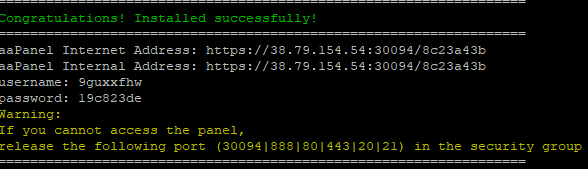
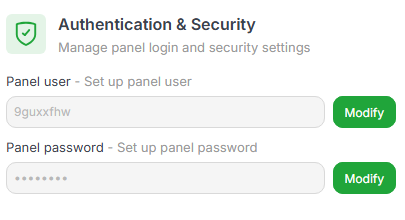
You can then access the panel at the URL displayed, using the credentials to log in. The installer will automatically fetch a Let's Encrypt SSL certificate for your public ip but it is recomended to add your own domain and use aaPanel with it. You will be able to get a Let's Encrypt certificate for your domain or provide your own. To change the automatically generated username and/or password, you can do so in the Settings area of aaPanel:
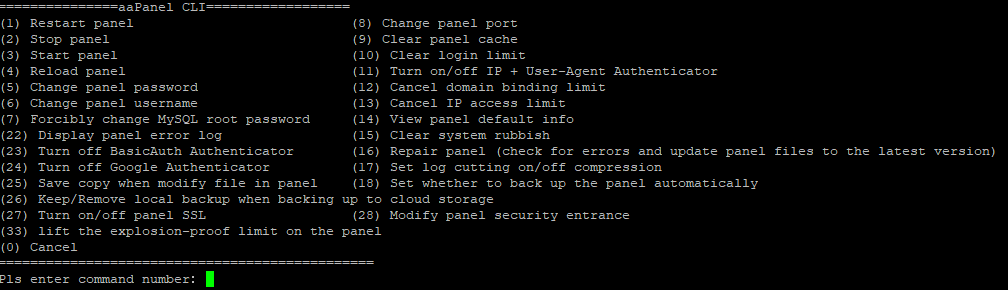
Some aaPanel functions can be managed directly in your SSH terminal. Use the bt command to display the menu:
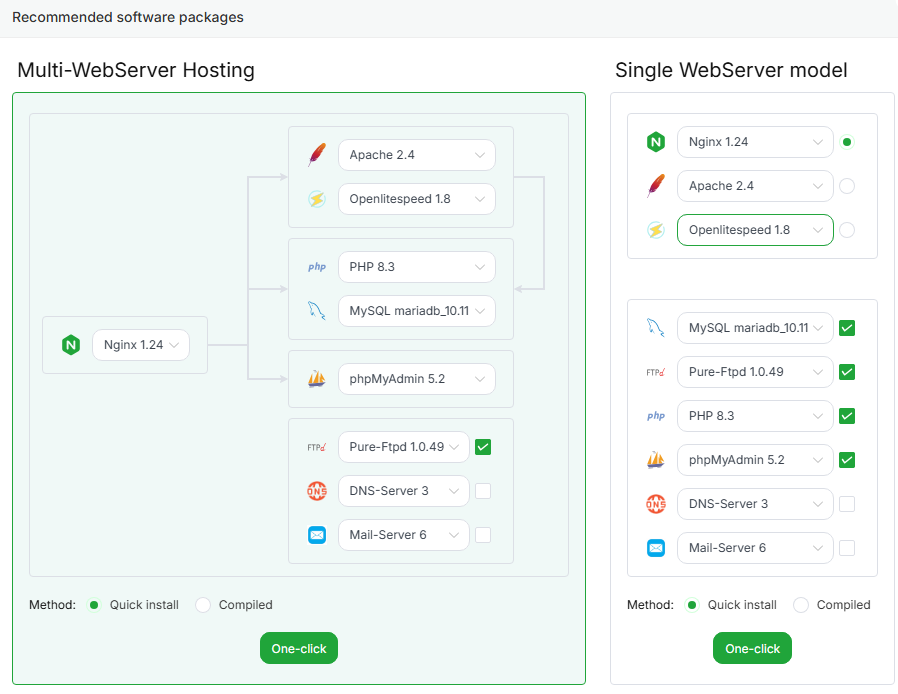
When you first login into aaPanel you will get a pop-up with recommended packages (web servers, ftp, db, etc.) and you can choose and install the ones you want. Please note that the one-click installation will take around 10-20 minutes, depending on your selection. Also, in order to use the WP-Toolkit, DNS Manager and Mail Server, you will have to register a FREE account on the aaPanel website and login with it.
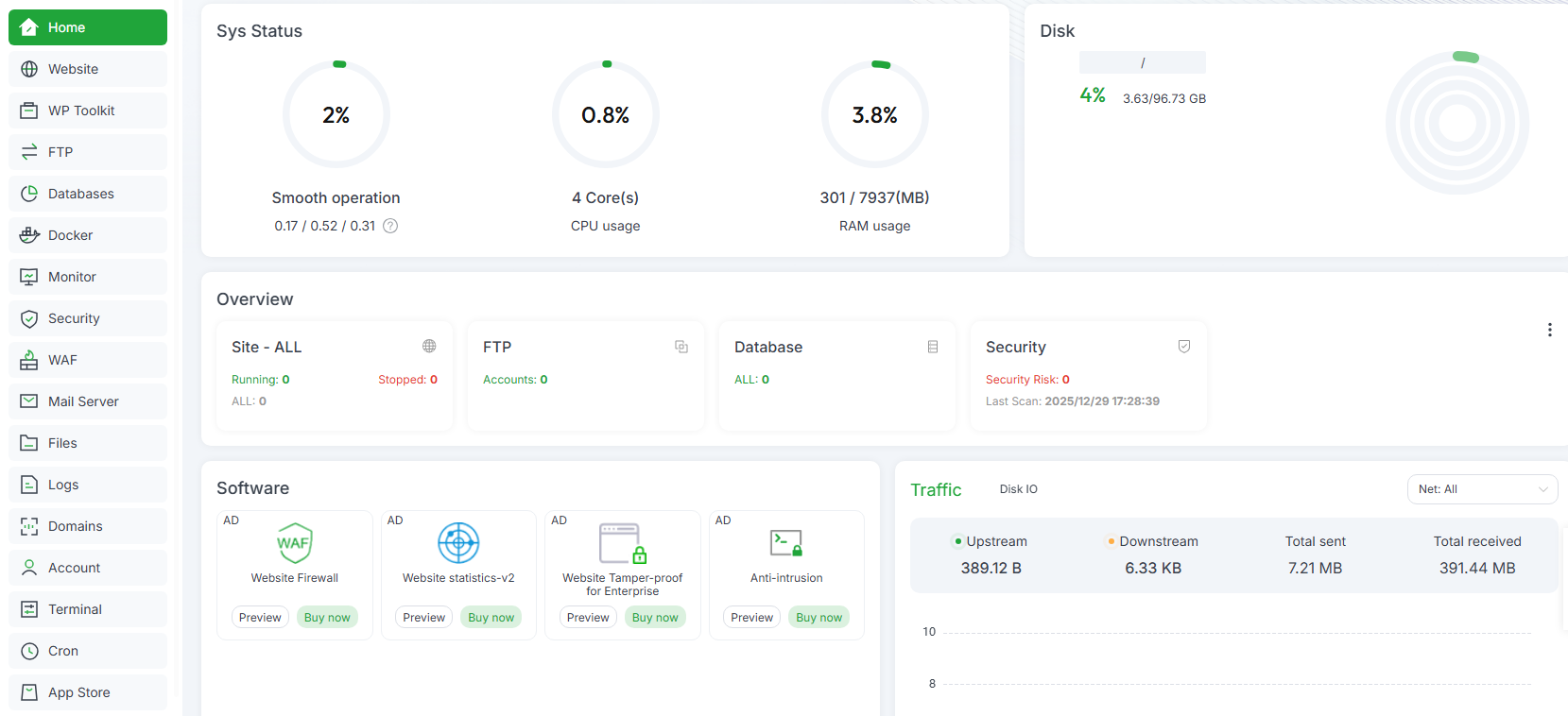
The aaPanel dashboard will look similar to this and you can use either a light or a dark theme for it. For more information about aaPanel, please visit their official website.